Daily practice for people who stutter

Practice speaking with confidence.

Fluentia is a daily practice companion for people who stutter: 31 exercises built on techniques speech-language pathologists teach, real-time feedback, and progress that tracks what matters most, speaking up in real life. No account, no servers. Your voice never leaves your device.

Free to start, with 5 sessions a day and 12 exercises. Premium unlocks everything.

  • A plan for every dayA warm-up, one technique, and a small step out in the world.
  • 31 exercisesBuilt on techniques speech-language pathologists teach.
  • Real-time feedbackA gentle cue when it helps, as you talk.
  • Ready when it mattersTwo minutes to settle before a call.
Today

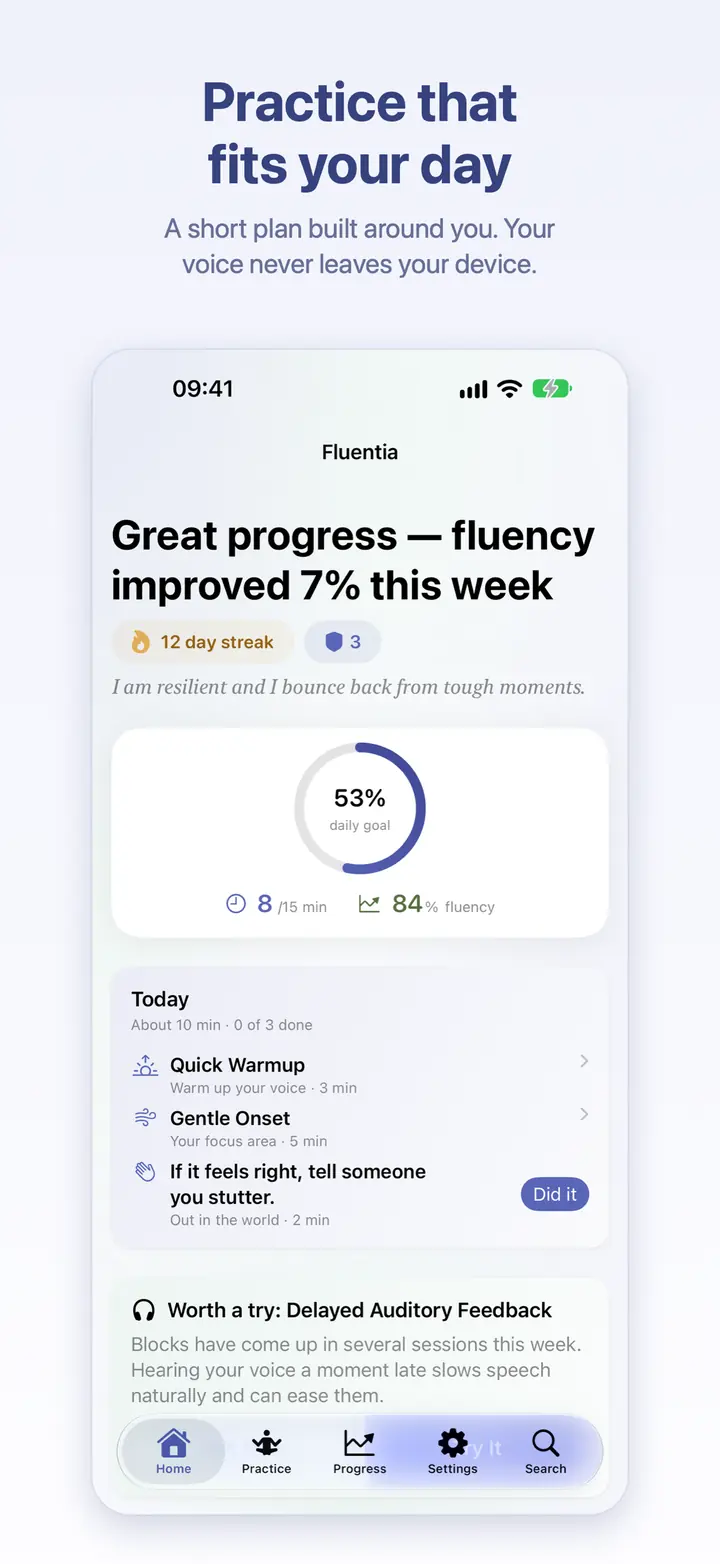
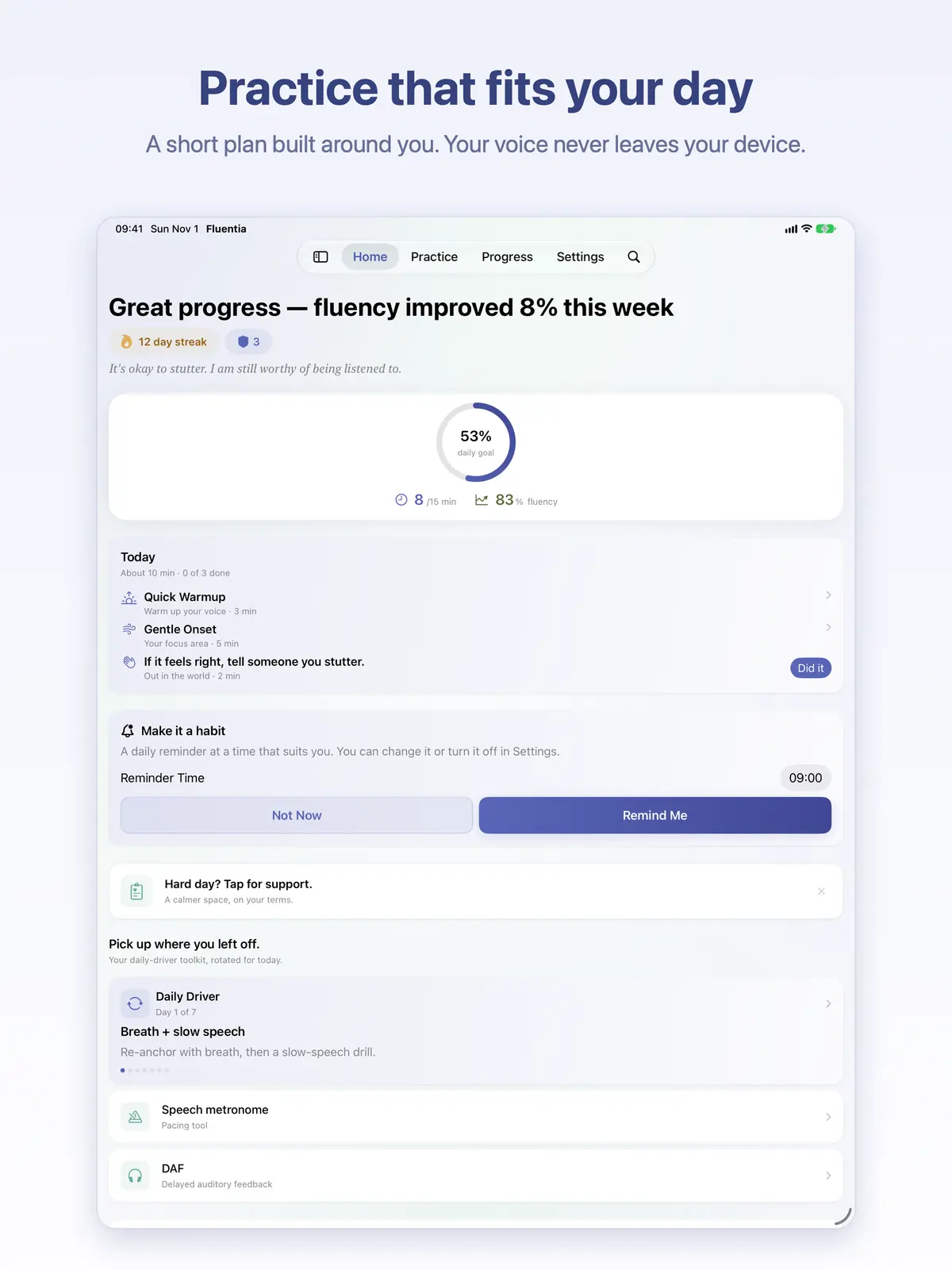
Practice that fits your day.

A short plan built around you.

  • A warm-up, one technique chosen for you, and a small speaking step to take out in the world
  • It adapts to your upcoming event, your course and the words you find hard
  • Mark daily missions done right from your Lock Screen
Fluentia’s Home screen: fluency up 7 percent this week, a daily goal ring, and today’s warm-up, technique and real-world step.
Exercises

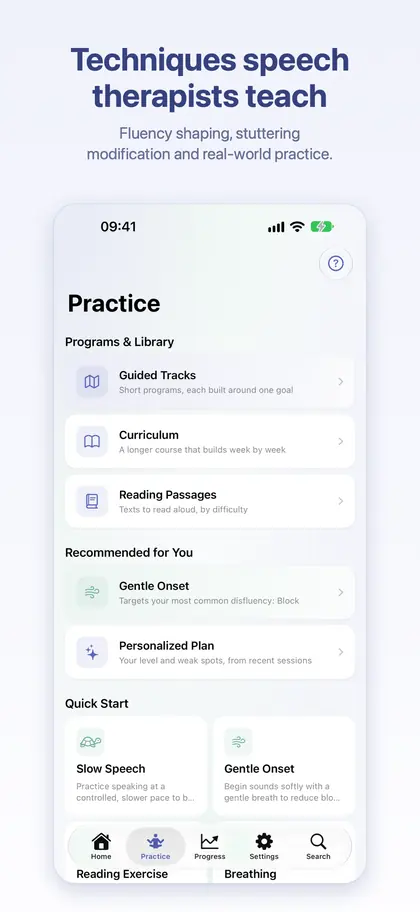
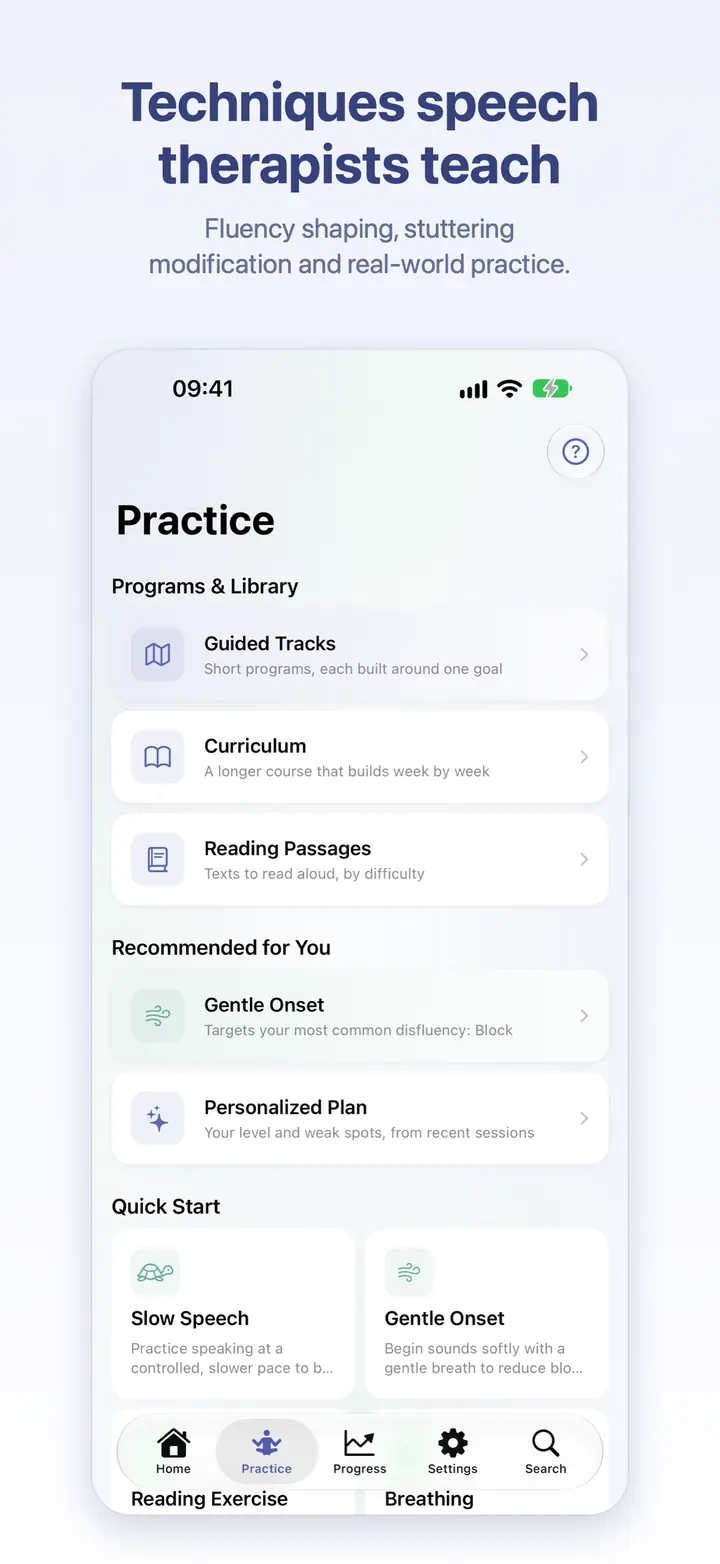
Techniques speech therapists teach.

31 exercises, from fluency shaping to real-world rehearsal.

  • Fluency shaping: slow speech, gentle onset, vowel elongation
  • Stuttering modification: pull-outs, preparatory sets, cancellation, light contact, voluntary stuttering, pausing
  • Practice: reading, repetition drills, free speaking, shadowing, choral reading and more
  • Real-world rehearsal: phone calls, presentations, job interviews, conversations, exposure challenges
  • Cluttering: rate control, clear syllables, self-monitoring
Fluentia’s Practice screen: guided tracks, a curriculum, reading passages, and exercises recommended for you.
Rehearse

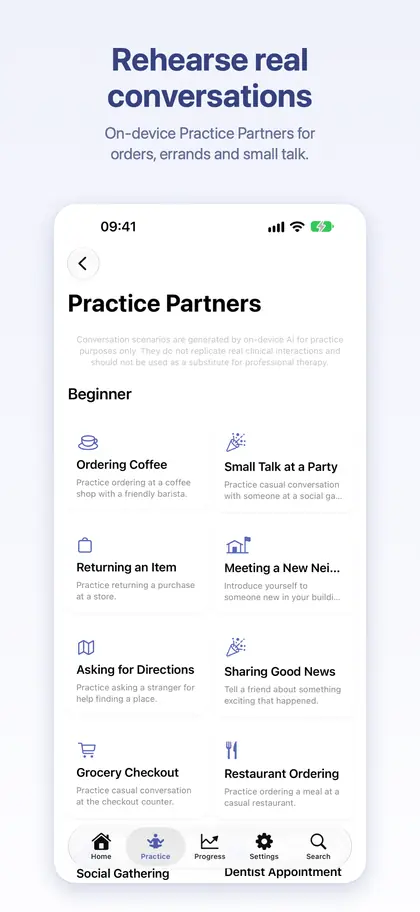
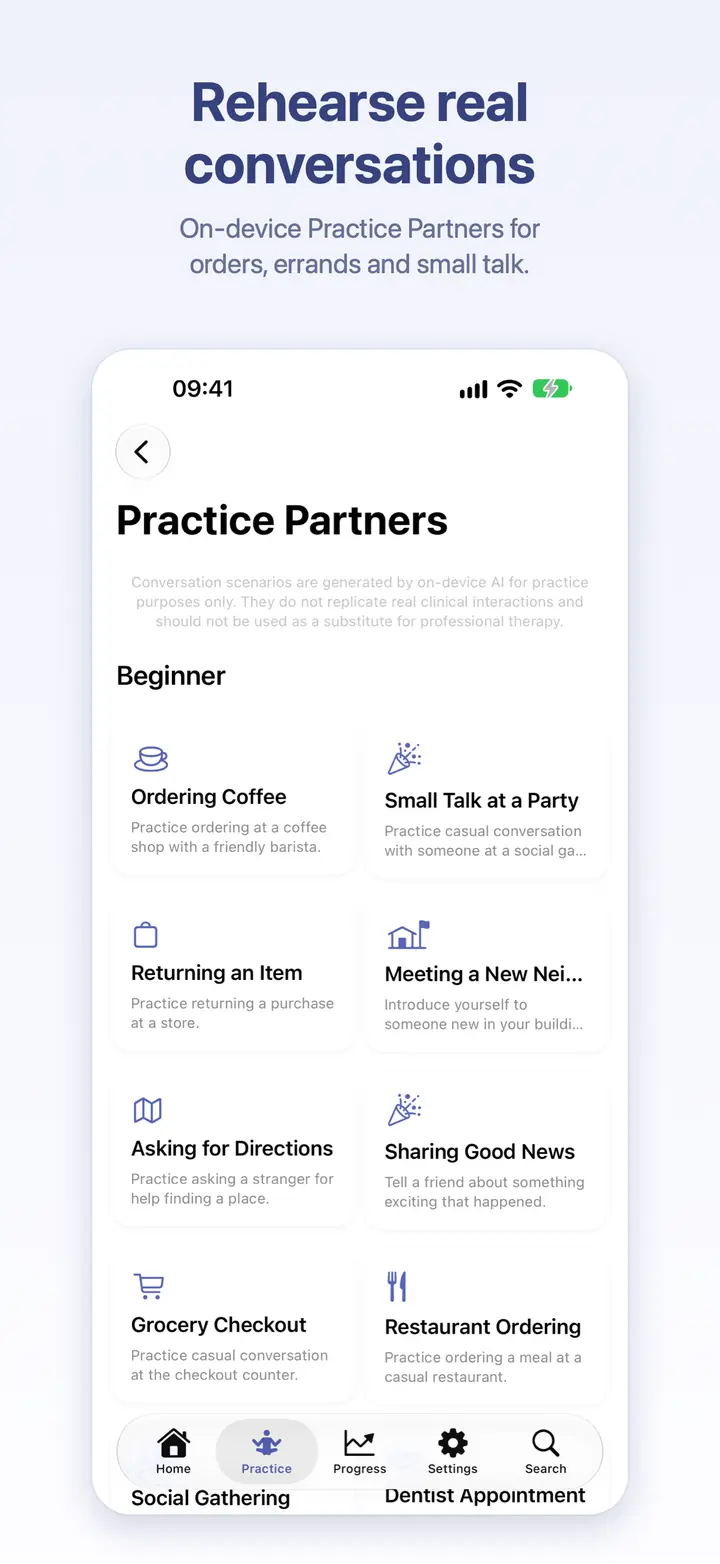
Rehearse real conversations.

On-device Practice Partners for orders, errands and small talk.

  • Rehearse everyday conversations, from ordering coffee to asking for directions
  • Partners run on your device with Apple Intelligence, on supported devices
  • Real-time feedback: Free Speaking notes blocks, repetitions, prolongations and filler words as you talk, with a gentle cue when it helps
  • Natural pauses between phrases aren’t counted against you
Fluentia’s Practice Partners: conversations such as ordering coffee, small talk at a party, returning an item and asking for directions.
Progress

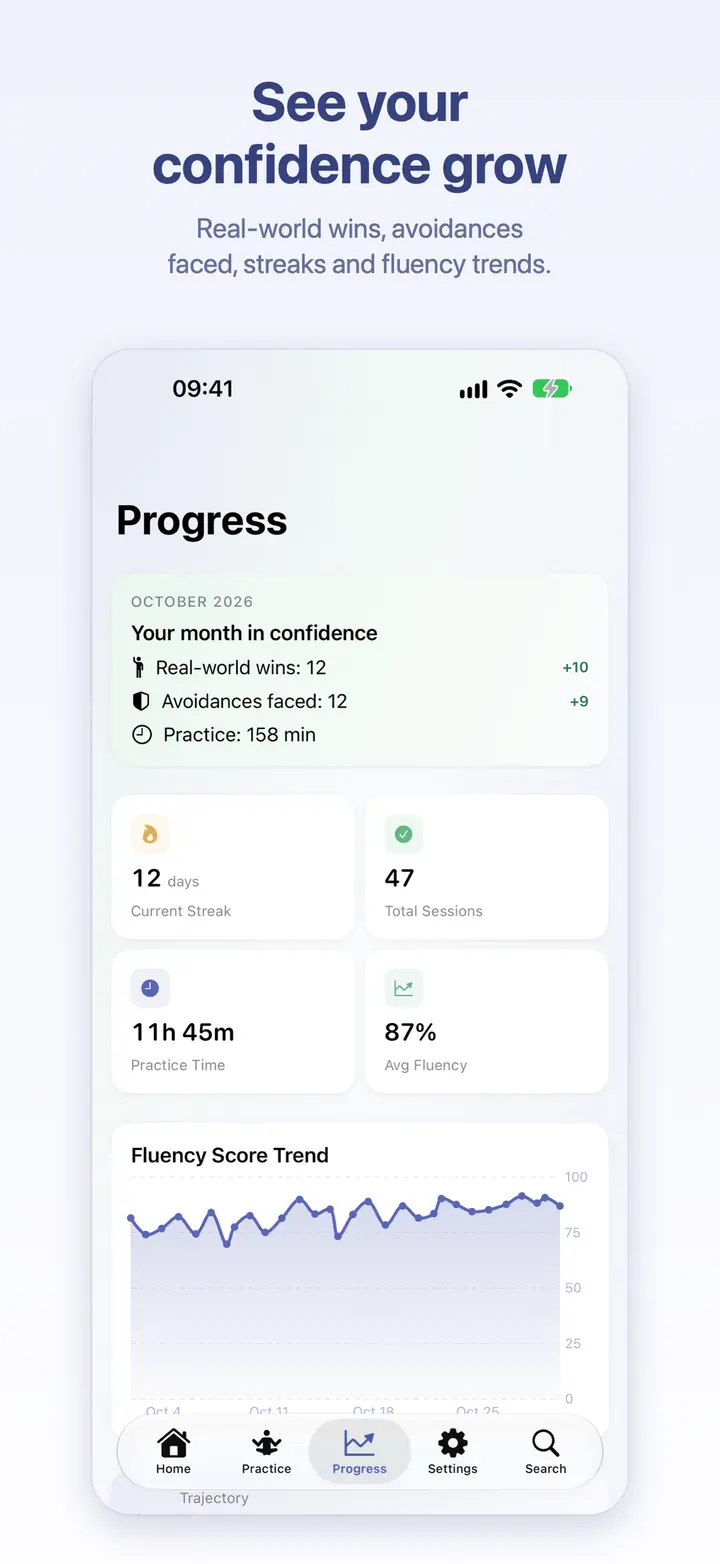
See your confidence grow.

Progress that tracks speaking up in real life.

  • A monthly confidence recap of real-world wins, avoidances faced and practice time
  • Fluency trends and streaks
  • Monthly voice snapshots, so you can hear your voice change
  • Share a report with your speech-language pathologist
Fluentia’s Progress screen: this month’s real-world wins and avoidances faced, streak, sessions, practice time and a fluency trend.
Tools and support

Ready when it matters, and on hard days.

Before a Call

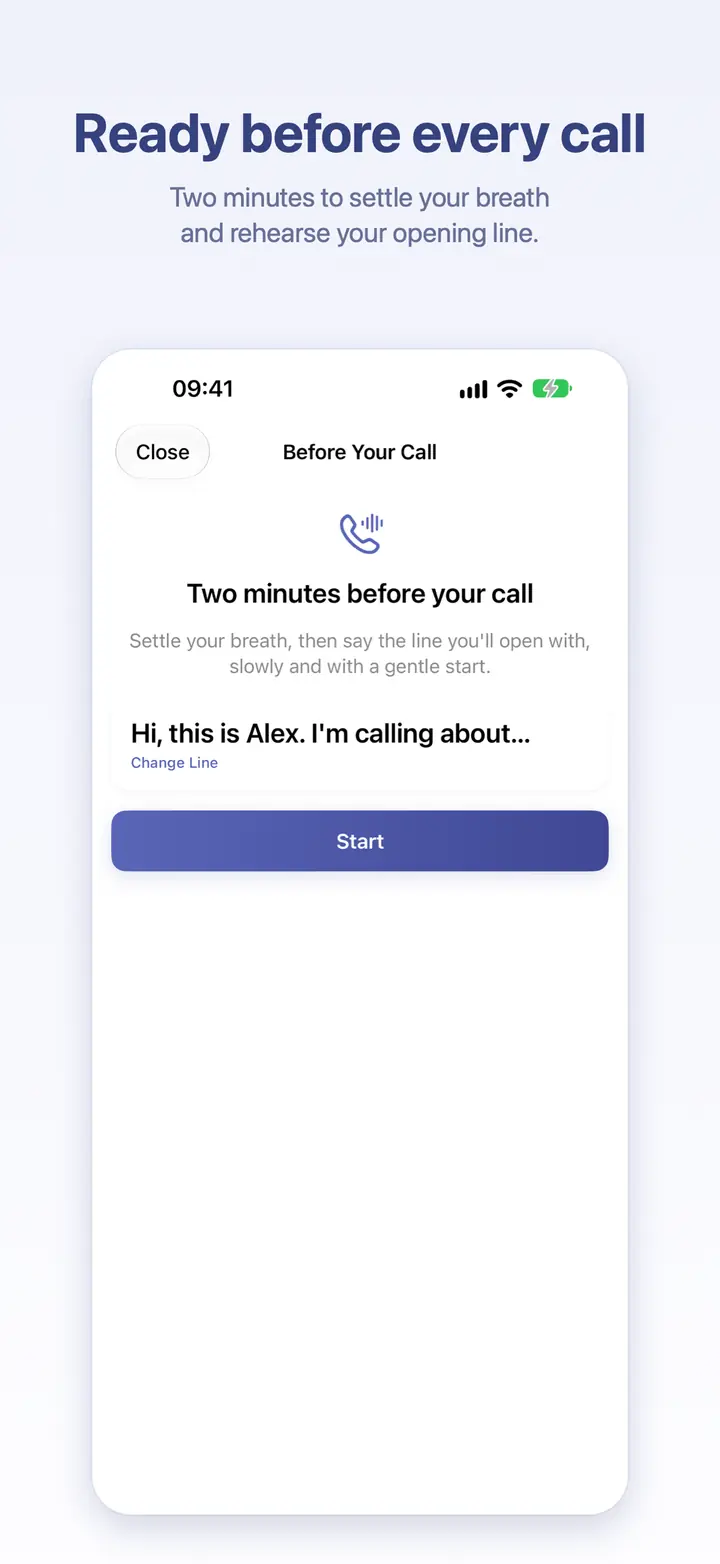
Two minutes before a call

Settle your breath and rehearse your opening line. Start it from Siri, Control Center or a reminder.

DAF · 80 ms

Delayed auditory feedback

With pitch shift and masking noise, plus a speech metronome, guided breathing and a quick warm-up.

Journal

Support along the way

A CBT thought journal, acceptance exercises and an avoidance log.

Crisis Mode

When it’s too much

Links to stuttering organizations and crisis lines in your country.

Child Mode

For younger speakers

Child Mode, with a PIN-protected parent dashboard.

Apple Watch

Breathing on your wrist

Haptic pacing on Apple Watch, plus widgets, Control Center buttons and a Live Activity.

Private by design

Your voice never leaves your device.

No account, no servers, no tracking. On the App Store, Fluentia’s privacy label reads “Data Not Collected”.

  • Speech analysed on your device Your voice is analysed as you speak, on the device, and never uploaded.
  • AI on your device Practice Partners and coaching run with Apple Intelligence, on the device.
  • No account, no servers Nothing to sign up for, and nothing for us to see.
  • No tracking No analytics, no advertising and no third-party SDKs.
  • Optional iCloud sync Stays within your own Apple devices, through your own iCloud.
  • Recordings stay put Voice snapshots stay on your device, and are left out of iCloud backups unless you choose otherwise.
Fluentia’s Before Your Call screen: settle your breath, then say the line you’ll open with, slowly and with a gentle start.
Everywhere you are

On iPhone, iPad and Apple Watch.

In 16 languages, with VoiceOver and Dynamic Type.

Fluentia on iPad: this week’s progress, today’s plan and a daily reminder.
  • iPhone and iPadHome Screen and Lock Screen widgets, Control Center buttons, a Live Activity and Siri.
  • Apple WatchBreathing with haptic pacing on your wrist.
  • AccessibleVoiceOver and Dynamic Type throughout.
  • 16 languagesFluentia speaks your language.
Pricing

Free to start.

Premium unlocks every exercise, unlimited sessions and Practice Partners.

Fluentia

Free on the App Store

  • 5 sessions a day
  • 12 exercises
  • No account, no tracking

Premium

Monthly, yearly, or a one-time purchase

  • Every exercise
  • Unlimited sessions
  • Practice Partners

Subscriptions renew automatically unless cancelled at least 24 hours before the period ends; manage them in your Apple Account settings. Prices for your country are on the App Store.

Not a medical device. Fluentia does not replace speech therapy. Use it alongside the guidance of a qualified speech-language pathologist.

Support

Need a hand with Fluentia?

A question, a bug, or an idea for the app: email the developer directly.

junaid.muhammadkhan@icloud.com
Does my voice leave my device?

No. Speech is analysed on your device as you talk, and Practice Partners run on your device too. Fluentia has no servers, so nothing is ever uploaded to us.

Are recordings of my voice kept?

Only the ones you choose to keep, such as your monthly voice snapshots. They stay on your device. Whether they’re included in iCloud backups is a setting under Privacy & Data, and it’s off unless you turn it on.

Do I need an account?

No. There’s no sign-up and no login. Open the app and start practising.

Can I share my progress with my speech-language pathologist?

Yes. Create a report in Fluentia and share it with them. It goes only to the person you send it to.

Is Fluentia a replacement for speech therapy?

No. Fluentia is not a medical device and does not replace speech therapy. It works best alongside the guidance of a qualified speech-language pathologist.

What if I’m having a really hard time?

Crisis Mode links to stuttering organizations and crisis lines in your country. If you’re in immediate danger, call your local emergency number.

How do I cancel Premium?

Subscriptions are handled by Apple. On iPhone, open Settings, tap your name, then Subscriptions. The one-time purchase has nothing to cancel.

What are the terms of use?

Fluentia is licensed under Apple’s standard end user licence agreement. How your information is handled is in the privacy policy.